
Why? Quickly and automatically prioritise your most important emails (based on Sender) in your Inbox, so you know which emails to read first.
- Open Outlook Mail > Click Inbox
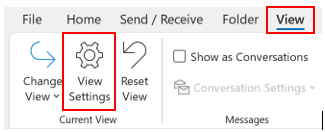
- Click View ribbon tab
- Click View Settings icon
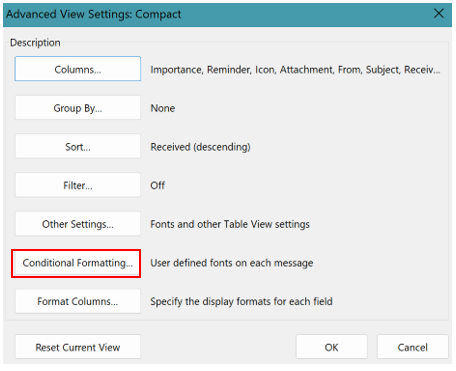
- Click Conditional Formatting from dialog box
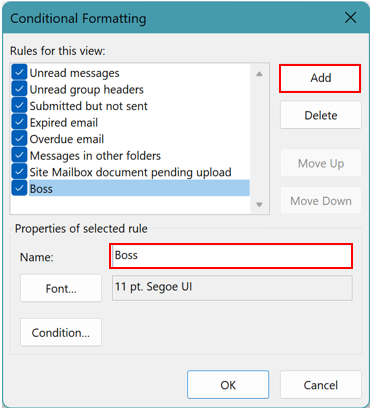
- Click Add
- Type name of formatting rule: Boss (for example)
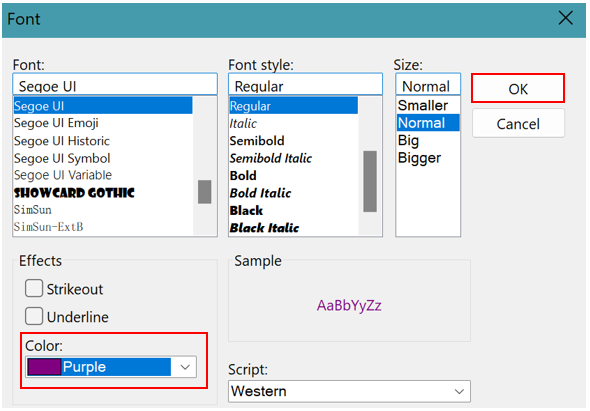
- Click Font to format the font colour or change style > Click OK
- Click Condition (from dialog box) to tell Outlook when to colour the email
- Click From button > Search and add one or more contacts from address book
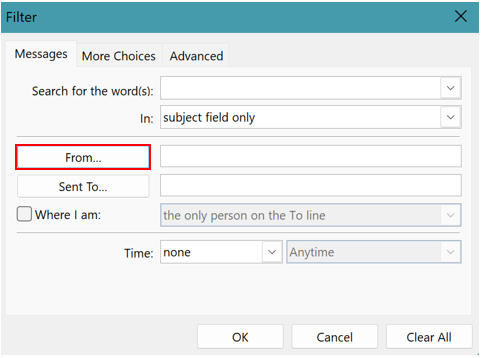
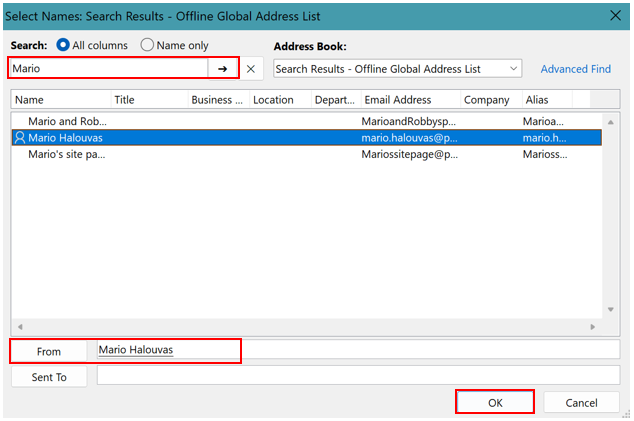
- Click OK x 4 to return to Inbox > any emails from that sender will appear in that colour
Want to learn more about MICROSOFT OUTLOOK? Please get in touch today with Priority Management Australia.