Microsoft Powerpoint Advanced
Engaging your audience with stunning PowerPoints

















In this PowerPoint course, we go beyond the basics and explore PowerPoint’s rich tools for creating an engaging visual experience. We begin with good design principles and see how we can develop our own themes and masters to create a unique look that’s on brand.
We delve deep into the graphic tools to enhance existing images and create our own and then bring our presentations to life with advanced animation techniques, video and sound. Finally, we explore the latest features for setting up and exporting our shows for a great presentation experience.
Upcoming Microsoft Powerpoint Course Dates
Choose from the dates below to secure your enrolment in one of our upcoming classes
Microsoft PowerPoint Essentials (Virtual)
 October 20, 2026
 9:30 AM to 1:30 PM AEDT
  $450 (EX GST)
 Microsoft PowerPoint Advanced (Virtual)
September 17, 2026 - September 18, 2026 9:30 AM to 12:30 PM AEST (Everyday) $450 (EX GST) 
"The course and facilitator were great and therefore was served well. I learnt so many new things. Our facilitator was a great teacher. Very knowledgeable, spoke at a good pace."

"Brendan was awesome, I liked the way he made the training engaging and interactive although it was virtual. One of the very few virtual trainings I have enjoyed"

"Brilliant presenter, kept the session engaging. Very knowledgeable without overloading"

"Thank you Jackie so much again for putting together such an insightful presentation. As I mentioned, the feedback so far has been really positive and a few people I have spoken to in the office today have already made some tweaks to their default settings. Your presentation skills were some of the best I’ve seen, and I was impressed with how you were able to navigate between screens despite the technical challenges. Thank you again!"
"They’re always there to support you and they’ve even made the Most staunchly paper driven people challenge what they do and find a way to be paper light, if not paper gone."

"It changed my life really. I felt like I’d been baptized at the end- I really felt so much lighter and freer! I’m in control of my life, actually I can, I can work the way I want to work."

"The workshop was great and very helpful. Simply explained, useful information and good tools! I will use the skills i have further developed and use the tools provided to my benefit!"
"But also the programs were fabulous because they are really practical. It’s not just here’s how you use it. It’s really about how you embed it into your everyday work life which is what I like about it."
"Went into the course thinking I would learn a few tips on using MO more efficiently, came out with a breakthrough on how I could be the high performer I want to be and still have a life."

"A HUGE thank you for the OneNote training that I completed. Having completed courses previously, I was expecting similar basic content and a struggle to say engaged. I was pleasantly surprised by Marys knowledge and ability to engage all attendees from beginners through to more advanced users, covering a range of skills, including more advanced use scenarios. I learnt a lot and have already applied many of the skills that I learnt."
"Nicky had had obviously prepared well and had customised the training for our unique needs. She made learning fun and delivered the content at the perfect pace."

"I recently had the privilege of taking a refresher course on Microsoft Outlook, and it was nothing short of transformative. It was a wake-up call for me, realizing that I had been using Outlook for years, yet there was so much more to learn and exploit."
"I am very happy with the content, how Brendan facilitated the training etc. Everything was concise, meaningful and respectful."

"Outlook to me was just a repository for emails, but now it is transformed into a powerful automated planning tool. Thank you Mary! I also like how you consider typography when setting up the layout and solution."

"Working with Priority Management as an organisation, [I’ve learned] that it’s not actually about the computer programs. It’s about the way in which you use those to work together."

Learn more about Microsoft Powerpoint Advanced

Overview

Audience

Format

What's Included
DESOGN BEST PRACTICE/h6>
- Good design principles
- The design process
- Colours & branding
THEMES
- Why themes are important
- Eyedropper & adobe colour
- Create a custom theme
MASTERS & TEMPLATES
- Edit master slides
- Create a new master layout
- Update theme with masters
- Re-use slides
- Replace fonts
- Work with templates
ADVANCED IMAGE EDITING
- Advanced crop functions
- Colour change
- Remove backgrounds
- Adjust transparency
SMART ART & CHARTS
- Customise smartart
- Create charts
- import charts
SHAPES & ICONS
- Work with selection pane
- Merge, subtract and intersect
- Advanced effects
- Create infographics
ANIMATION
- Automated & synchronised
- Animate charts & smartart
- Motion paths
- Animated gifs
- Morph transitions
AUDIO & VIDEO
- Embed and trim video
- Working with audio
- Screen recording
SHOW SETUP
- Sections
- Zooms
- Custom shows
- Automated shows
SHARING & PRESENTING
- Managing size
- Include cameos (365 only)
- Save as show or video
- Tips for presenting
This course is suitable for more advanced users or those that have done our Microsoft PowerPoint Essentials course.
This is a one-day program that can be delivered face-to-face or as 2 x 3-hour virtual programs.
This workshop is not suitable for Mac Users. Should you have a Microsoft Office for Mac training requirement, please contact us for assistance.
- Comprehensive Learning Guide
Dont have your own laptop?
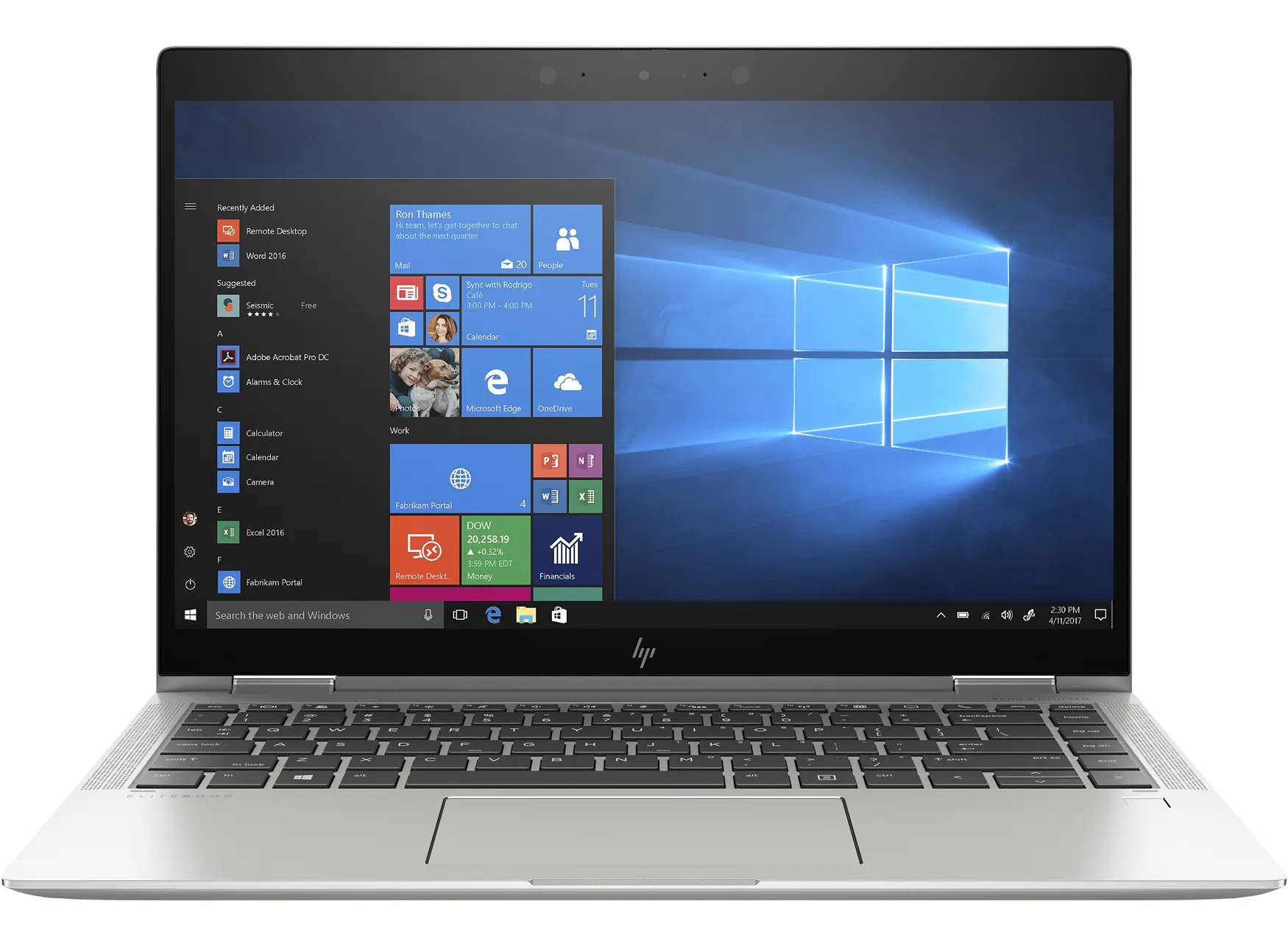
We have modern HP laptops available for hire!
HP EliteBook Touchscreen Tablet laptops (with mouse) (11 available)
- Rental cost to client $95+GST per laptop + transport
- Running Windows 11
- Running Office 365
- Word
- Excel
- PowerPoint
- Outlook
- OneNote
- Added only if required - MS Project, MS Visio
Organise with one of our team when making your booking or get in touch with us here
Submit an Enquiry
Priority Management is a Recognised Training Organisation (RTO number: 90911) and issues nationally recognised qualifications and statements of attainment.
Lead your team to success with industry-leading project management training
Achieve your goals, get more done and see your team thrive with our advanced project management short courses and qualifications.
Enrol TodayWe Pride Ourselves
We have been 40 years in Business and with over 2.2 Million participants and a lifetime membership, we are super proud of Priority Management.