Microsoft Powerpoint Essentials
Engaging your audience with stunning PowerPoints


















A good PowerPoint creates a focal point for audiences while also serving as a content guide for presenters, so they can present confidently. The visual medium also allows presenters to translate complex ideas, facts, or figures into easily understandable and memorable visuals.
In this beginner course we will guide you through the essentials of using PowerPoint so you can start creating stunning slide decks that use a variety of media to present information in an interesting way, helping you communicate effectively and engaging your audience.
Upcoming Microsoft Powerpoint Course Dates
Choose from the dates below to secure your enrolment in one of our upcoming classes
Microsoft PowerPoint Advanced (Virtual)
 June 29, 2026 - June 30, 2026
 9:30 AM to 12:30 PM AEST (Everyday)
 $450 (EX GST)
 Microsoft PowerPoint Advanced (Virtual)
March 17, 2026 - March 18, 2026 9:30 AM to 12:30 PM AEDT (Everyday) $410 (EX GST) 
"The course and facilitator were great and therefore was served well. I learnt so many new things. Our facilitator was a great teacher. Very knowledgeable, spoke at a good pace."

"Brendan was awesome, I liked the way he made the training engaging and interactive although it was virtual. One of the very few virtual trainings I have enjoyed"

"I thought it was great! Probably one of the best trainings we’ve had at our face-to-face."

"Went into the course thinking I would learn a few tips on using MO more efficiently, came out with a breakthrough on how I could be the high performer I want to be and still have a life."

"Enjoyed the session and got a few great tips and better ideas on managing emails and tasks thanks so much."

"The workshop was great and very helpful. Simply explained, useful information and good tools! I will use the skills i have further developed and use the tools provided to my benefit!"

"Working with Priority Management as an organisation, [I’ve learned] that it’s not actually about the computer programs. It’s about the way in which you use those to work together."

"Mary was very knowledgeable on the material and able to answer any queries quickly and effectively, there are many strategies that I took from the training that will allow me to build on previous knowledge and be more effective working within Outlook."

"I was hesitant on how much I could learn on an 8 hour outlook course but the course exceeded my expectations and I was surprised by how much I took away from the course."

"It changed my life really. I felt like I’d been baptized at the end- I really felt so much lighter and freer! I’m in control of my life, actually I can, I can work the way I want to work."

"Brilliant presenter, kept the session engaging. Very knowledgeable without overloading"
"I am very happy with the content, how Brendan facilitated the training etc. Everything was concise, meaningful and respectful."

"Thank you Jackie so much again for putting together such an insightful presentation. As I mentioned, the feedback so far has been really positive and a few people I have spoken to in the office today have already made some tweaks to their default settings. Your presentation skills were some of the best I’ve seen, and I was impressed with how you were able to navigate between screens despite the technical challenges. Thank you again!"

"Such a great course. Thoroughly enjoyed the training and learned so many new things that I know will benefit both myself and the organisation."
"They’re always there to support you and they’ve even made the Most staunchly paper driven people challenge what they do and find a way to be paper light, if not paper gone."

Learn more about Microsoft Powerpoint Essentials

Overview

Audience

Format

What's Included
GETTING STARTED
- Design considerations
- Powerpoint user interface
- Quick access toolbar
- Powerpoint views
CREATING A PRESENTATION
- Adding slides
- Working with layouts
- Managing slides
- Reuse slides
SLIDE DESIGN
- Slide size
- Changing theme
- Variants
- Backgrounds
WORKING WITH TEXT
- Font, size & colour
- Custom bullets
- SmartArt
- Line spacing
- Vertical orientation
WORKING WITH PICTURES
- Options for adding pictures
- Move and resize
- SmartArt
- Add styles
- Cropping pictures
- Insert a screen clipping
SMART ART
- Add Smart Art
- Change colours and effects
- Add and remove shapes
- Convert bullets to Smart Art
- Add images
TABLES & CHARTS
- Creating simple charts
- Working with charts
- Adding tables
- Customising tables
SIMPLE ANIMATIONS
- Animate text
- Animate images
- Animate Smart Art
- Add transitions
SAVING & SHARING
- Adding notes
- Printing notes
- Printing handouts
- Save as PDF
PRESENTING
- Useful shortcuts
- Presenter tools
- Working with presenter mode
This course is suitable for beginners – anyone who needs to format spreadsheets or to organise and analyse data. We also cater for more advanced users.
This is a one-day program that can be delivered face-to-face or as 2 x 3-hour virtual programs.
This workshop is not suitable for Mac Users. Should you have a Microsoft Office for Mac training requirement, please contact us for assistance.
- Comprehensive Learning Guide
Dont have your own laptop?
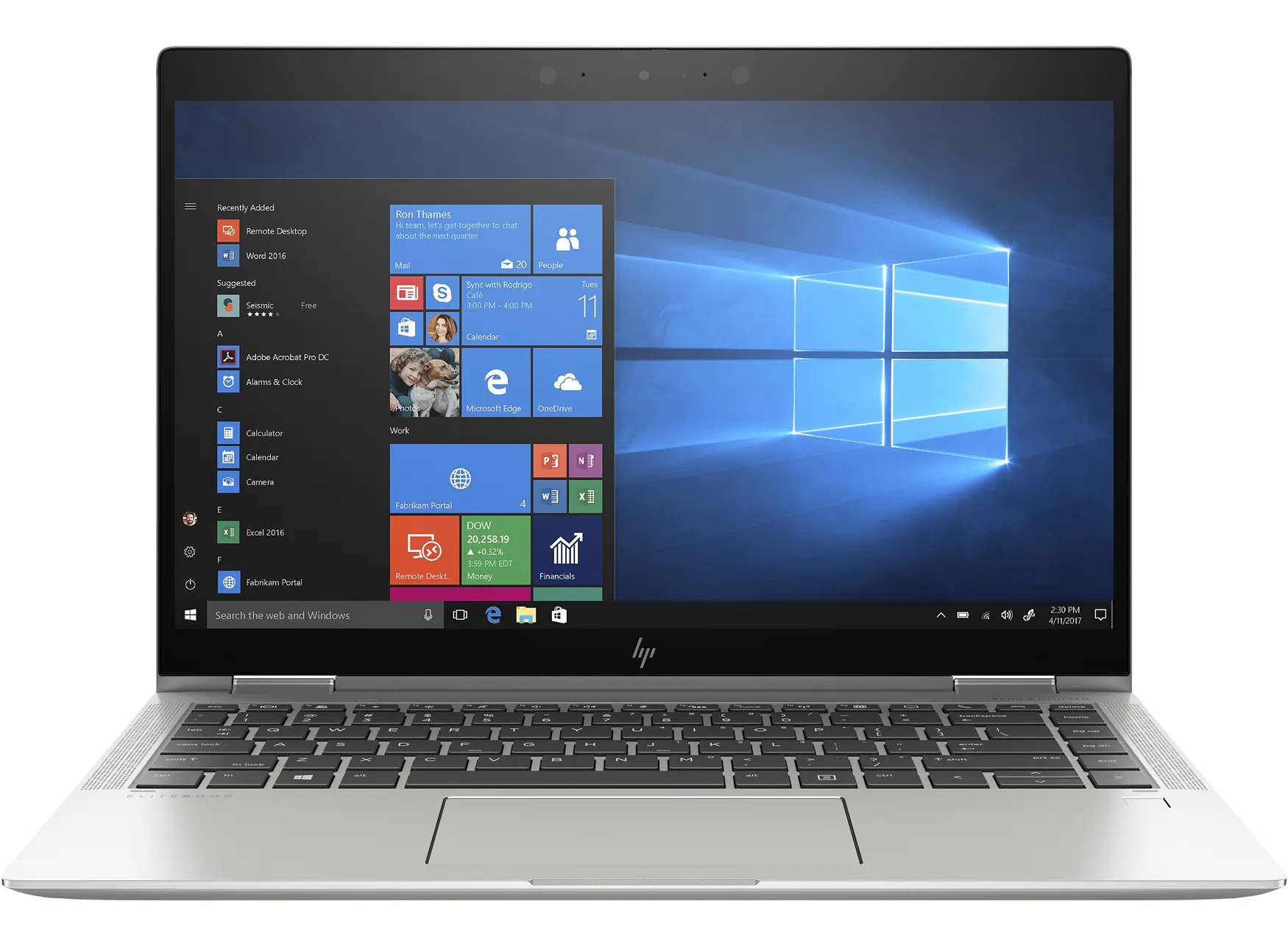
We have modern HP laptops available for hire!
HP EliteBook Touchscreen Tablet laptops (with mouse) (11 available)
- Rental cost to client $95+GST per laptop + transport
- Running Windows 11
- Running Office 365
- Word
- Excel
- PowerPoint
- Outlook
- OneNote
- Added only if required - MS Project, MS Visio
Organise with one of our team when making your booking or get in touch with us here
Submit an Enquiry
Priority Management is a Recognised Training Organisation (RTO number: 90911) and issues nationally recognised qualifications and statements of attainment.
Lead your team to success with industry-leading project management training
Achieve your goals, get more done and see your team thrive with our advanced project management short courses and qualifications.
Enrol TodayWe Pride Ourselves
We have been 40 years in Business and with over 2.2 Million participants and a lifetime membership, we are super proud of Priority Management.