
Scheduling with OverVue

















Over the past 20 years tens of thousands of people have completed Priority Management’s Project Planning Breakthroughs course. A course that teaches the most effective method for scheduling projects. Using manual diagramming tools and a unique set of methods, our clients appreciated the process and the improved results they experienced.
However, the number one question always asked… “is there no software that can replicate these tools and methods?” The answer was ‘no, we’re waiting for that to happen.’ But it never did. Many of our clients tried to build their own software, without success.This has changed with the recent release of OverVue.
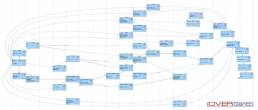
OverVue is the result of 4 years of development. Its key breakthrough is the capability of discovering… and verifying … the vast array of task links and doing this more efficiently and accurately than anything else available.
We at Priority Management Australia are delighted to be the first training company in the world to deliver a training course on this remarkably efficient new software.
By the end of this course, users should be very comfortable:
- Understanding and navigating OverVue tables and views
- Writing a brief Project Charter that links to the project’s deliverables
- Creating a new project plan from scratch
- Creating tasks, entering task durations, grouping tasks by deliverables, and creating milestones
- Entering and verifying complex relationships simply.
- Establish a resource pool, assigning resources, identifying over-allocations and leveling resources
- Applying task constraints and deadlines
- Establishing a Project budget using bottom-up costing
- Visually determining the Critical Path
- Project monitoring including baseline analysis
What should I know before starting this course?
This course assumes the user understands the basics of using a computer. Students should be comfortable using the keyboard, mouse/trackpad, and menus. Knowledge of project management concepts and theories is also an asset. No previous experience with other versions of OverVue is necessary.
Each participant will require their own Apple Laptop or Virtual PC with Catalina OS loaded.
The latest Numbers application needs to be loaded and also the OverVue software.
It is preferable that the computer you use has a minimum of 8GB of RAM.
Upcoming Scheduling with OverVue Course Dates
Choose from the dates below to secure your enrolment in one of our upcoming classes
Register You Interest
"Brendan was awesome, I liked the way he made the training engaging and interactive although it was virtual. One of the very few virtual trainings I have enjoyed"

"I thought it was great! Probably one of the best trainings we’ve had at our face-to-face."

"But also the programs were fabulous because they are really practical. It’s not just here’s how you use it. It’s really about how you embed it into your everyday work life which is what I like about it."

"Working with Priority Management as an organisation, [I’ve learned] that it’s not actually about the computer programs. It’s about the way in which you use those to work together."

"Went into the course thinking I would learn a few tips on using MO more efficiently, came out with a breakthrough on how I could be the high performer I want to be and still have a life."

"Thanks for putting on such amazing training sessions for our employees over the past 2 weeks, we have had incredible feedback about how valuable they found the Outlook training and how great a facilitator Dani is. One employee reached out saying it was the best training she has ever done, which is a testament to how good the content and facilitators are!"

"I was hesitant on how much I could learn on an 8 hour outlook course but the course exceeded my expectations and I was surprised by how much I took away from the course."

"I recently had the privilege of taking a refresher course on Microsoft Outlook, and it was nothing short of transformative. It was a wake-up call for me, realizing that I had been using Outlook for years, yet there was so much more to learn and exploit."

"The workshop was great and very helpful. Simply explained, useful information and good tools! I will use the skills i have further developed and use the tools provided to my benefit!"

"Thank you Jackie so much again for putting together such an insightful presentation. As I mentioned, the feedback so far has been really positive and a few people I have spoken to in the office today have already made some tweaks to their default settings. Your presentation skills were some of the best I’ve seen, and I was impressed with how you were able to navigate between screens despite the technical challenges. Thank you again!"

"It changed my life really. I felt like I’d been baptized at the end- I really felt so much lighter and freer! I’m in control of my life, actually I can, I can work the way I want to work."

"I had no idea of how much I didn’t know. This is a game changer for efficiency and organisation."

"Enjoyed the session and got a few great tips and better ideas on managing emails and tasks thanks so much."

"Fantastic training, while I'm fully capable with using google, ive never known all the ins and outs and features designed to make you more productive. Very illuminating"

"The Australian Chamber Orchestra has engaged Priority for 15 years to conduct Outlook training, which is considered an important component of our induction process to assist with productivity. It’s always a pleasure to liaise with Priority Management. As a participant, I found the online workshop to be informative, educational, fun, and engaging."

Dont have your own laptop?
We have modern HP laptops available for hire!
HP EliteBook Touchscreen Tablet laptops (with mouse) (11 available)
- Rental cost to client $95+GST per laptop + transport
- Running Windows 11
- Running Office 365
- Word
- Excel
- PowerPoint
- Outlook
- OneNote
- Added only if required - MS Project, MS Visio

Organise with one of our team when making your booking or get in touch with us here
Submit an Enquiry

Priority Management is a Recognised Training Organisation (RTO number: 90911) and issues nationally recognised qualifications and statements of attainment.
Lead your team to success with industry-leading project management training
Achieve your goals, get more done and see your team thrive with our advanced project management short courses and qualifications.
Enrol TodayWe Pride Ourselves
We have been 40 years in Business and with over 2.2 Million participants and a lifetime membership, we are super proud of Priority Management.
