Microsoft Copilot Basic - Free Version
Unlock smarter workflows with Copilot Free Version. Learn to streamline tasks, enhance communication, and apply AI to everyday work with practical, hands-on techniques.

















Microsoft Copilot Basic - Free Version
Copilot Basic (Free version) helps simplify tasks, improve communication, and support everyday workflows using AI. Participants will explore how Copilot can assist with generating ideas, summarising information, drafting emails, and supporting planning and research activities.
This workshop builds understanding of how to use Copilot effectively, including writing clear prompts, navigating key features, and applying AI responsibly in a workplace context. By the end of the session, participants will feel more confident using Copilot Basic to improve efficiency and make everyday work easier to manage.
What will I learn?
By the end of this workshop, participants will gain comprehensive insights into:
• Understand how Microsoft Copilot Basic works
• Write clear and effective prompts
• Use Copilot responsibly, including privacy and limitations
• Customise Copilot using instructions, memories, files, and agents
• Navigate key Copilot tools and features
• Use Copilot to summarise information and generate ideas
• Draft and improve emails using Copilot in Outlook
What to expect?
In this course, you will gain a clear understanding of how to use Copilot Basic (Free version) to support everyday tasks, improve communication, and work more efficiently. You will explore the key features and tools that make Copilot a practical AI assistant, including how to write effective prompts, generate ideas, summarise information, and draft emails.
Through guided examples and practical application, you will learn how to customise Copilot, use files within chats, and navigate tools such as pages, prompt gallery, and chat history. The session also covers responsible AI use, helping you understand how to apply Copilot confidently and appropriately in your day-to-day work.
By the end of the course, you will feel more confident using AI to support planning, communication, and information processing, helping you work more efficiently and effectively.
Who is this course for?
This course is designed for professionals who want to work smarter using AI. It’s ideal for team members in operations, IT, admin, project management, HR, and business analysis roles. No prior AI or Copilot experience is needed.
How will it help me?
By attending this course, you will:
• Save time by using AI to support everyday tasks such as drafting, summarising, and generating ideas
• Improve the quality and clarity of written communication using AI-assisted email drafting and editing
• Strengthen your ability to write effective prompts to achieve more useful results from AI
• Increase confidence in using AI responsibly, including understanding limitations and best practice use
• Work more efficiently by using Copilot Basic to support research, planning, and information review
• Develop practical AI skills that can be applied immediately in everyday work
Upcoming Microsoft Copilot Course Dates
Choose from the dates below to secure your enrolment in one of our upcoming classes
Microsoft 365 Copilot Premium- Subscription Version(Virtual)
 December 7, 2026
 9:30 AM to 1:30 PM AEDT
  $450 (EX GST)
 Microsoft Copilot Basic - Free Version (Virtual)
November 13, 2026 10:00 AM to 12:00 PM AEDT $295 (EX GST) Microsoft 365 Copilot Premium- Subscription Version(Virtual)
October 16, 2026 9:30 AM to 1:30 PM AEDT $450 (EX GST) Microsoft Copilot Basic - Free Version (Virtual)
September 14, 2026 9:30 AM to 11:30 AM AEST $295 (EX GST) Microsoft 365 Copilot Premium- Subscription Version(Virtual)
August 24, 2026 9:00 AM to 1:00 PM AEST $450 (EX GST) 
"Brendan was awesome, I liked the way he made the training engaging and interactive although it was virtual. One of the very few virtual trainings I have enjoyed"

"I recently had the privilege of taking a refresher course on Microsoft Outlook, and it was nothing short of transformative. It was a wake-up call for me, realizing that I had been using Outlook for years, yet there was so much more to learn and exploit."

"Enjoyed the session and got a few great tips and better ideas on managing emails and tasks thanks so much."

"Thanks for putting on such amazing training sessions for our employees over the past 2 weeks, we have had incredible feedback about how valuable they found the Outlook training and how great a facilitator Dani is. One employee reached out saying it was the best training she has ever done, which is a testament to how good the content and facilitators are!"

"I thought it was great! Probably one of the best trainings we’ve had at our face-to-face."
"Nicky had had obviously prepared well and had customised the training for our unique needs. She made learning fun and delivered the content at the perfect pace."

"The workshop was great and very helpful. Simply explained, useful information and good tools! I will use the skills i have further developed and use the tools provided to my benefit!"

"Thank you Jackie so much again for putting together such an insightful presentation. As I mentioned, the feedback so far has been really positive and a few people I have spoken to in the office today have already made some tweaks to their default settings. Your presentation skills were some of the best I’ve seen, and I was impressed with how you were able to navigate between screens despite the technical challenges. Thank you again!"

"Outlook to me was just a repository for emails, but now it is transformed into a powerful automated planning tool. Thank you Mary! I also like how you consider typography when setting up the layout and solution."

"I had no idea of how much I didn’t know. This is a game changer for efficiency and organisation."

"As a school Principal, I greatly value practical training that delivers immediate and measurable improvements in productivity. The "Working Sm@rt with Microsoft Outlook" workshop facilitated by Priority Management exceeded all expectations."

"Great, clear delivery from facilitator, easy to understand, kept my interest and focus throughout the course."

"Brilliant presenter, kept the session engaging. Very knowledgeable without overloading"
"Mary was very knowledgeable on the material and able to answer any queries quickly and effectively, there are many strategies that I took from the training that will allow me to build on previous knowledge and be more effective working within Outlook."

"I was hesitant on how much I could learn on an 8 hour outlook course but the course exceeded my expectations and I was surprised by how much I took away from the course."

Learn more about Microsoft Copilot Basic - Free Version

Overview

Audience

Format

What's Included
Laying the Foundation
• What is Microsoft 365 Copilot Basic
• LLMs and NLP explained in practical terms
• Data security and privacy best practices
• Prompting fundamentals
• Effective vs poor prompting techniques
• AI hallucinations and responsible use
Customising and Live Practice
• Accessing Copilot Basic
• Custom instructions and personalisation
• Web-grounded chat
• Auto, Quick Response and Think Deeper modes
• Temporary vs saved chats
• Creating and using Copilot memories
• Using files with Copilot
• Working with agents
Prompt Tools and Navigation
• Copy, feedback and share prompt tools
• Pages – creating and exporting to Word or PDF
• Save and copy prompts for sharing
• Read aloud and Open in Word features
• Search, Library, Create, Agents
• Managing chat history and apps
Copilot in Outlook
• Summarising emails and threads
• Drafting new emails with Copilot
• Drafting replies with Copilot
• Coaching and improving written messages
Copilot in Word, Excel, PowerPoint & OneNote
If your organisation has access to Copilot Basic in these apps, we will cover:
• Word – plan, draft, summarise and suggest improvements for documents
• Excel – understand and analyse data, explain, and help write formulas, summarise data
• PowerPoint – plan, draft, summarise and suggest improvements for presentations
• OneNote – plan notebooks, help structure, summarise notes, and improve clarity
This course is designed for professionals who want to work smarter using AI. It’s ideal for team members in operations, IT, admin, project management, HR, and business analysis roles. No prior AI or Copilot experience is needed.
- This is a 2-hour virtual program delivered via Microsoft Teams
- Interactive Sessions
- Expert Guidance
- Certificate of Completion
Dont have your own laptop?
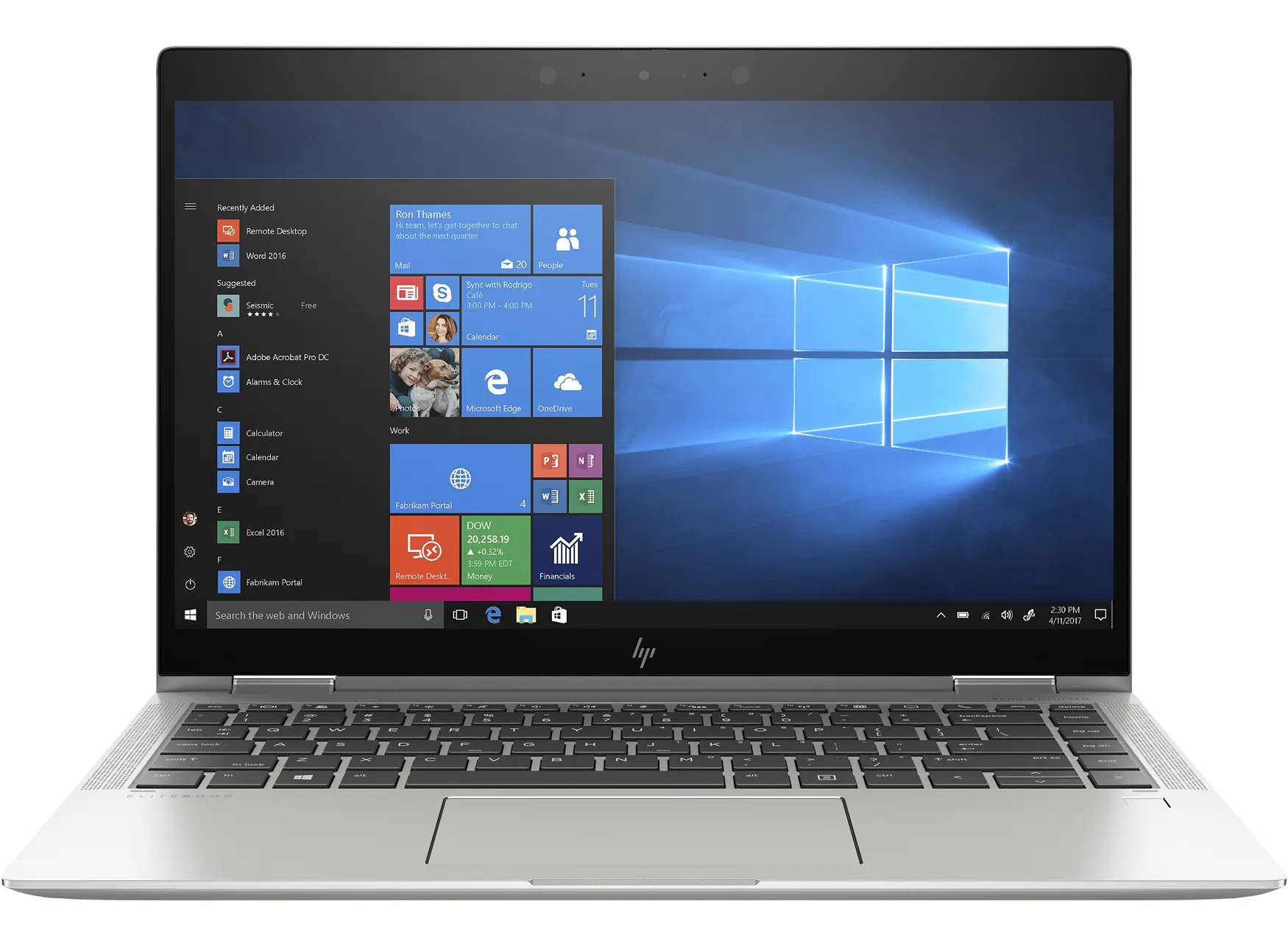
We have modern HP laptops available for hire!
HP EliteBook Touchscreen Tablet laptops (with mouse) (11 available)
- Rental cost to client $95+GST per laptop + transport
- Running Windows 11
- Running Office 365
- Word
- Excel
- PowerPoint
- Outlook
- OneNote
- Added only if required - MS Project, MS Visio
Organise with one of our team when making your booking or get in touch with us here
Submit an Enquiry
Priority Management is a Recognised Training Organisation (RTO number: 90911) and issues nationally recognised qualifications and statements of attainment.
Lead Your Team to Success with Industry-Leading Time Management Training
Achieve your goals, manage time more effectively, increase productivity, and empower both yourself and your team to work smarter with our expert-led time management courses. Our short courses are designed to suit a wide range of management needs. Whether you’re overwhelmed by emails, unproductive meetings, poor planning, or scattered tasks and communication, our training simplifies the process and shows you how to take control of your day. Learn how to streamline your workflow, free up your time, and get more done with less stress. All programs are delivered by industry-leading experts and supported by high-quality training materials, backed by a proven track record of helping businesses thrive.
Full Range of Time Management Training CoursesWe Pride Ourselves
We have been 40 years in Business and with over 2.2 Million participants and a lifetime membership, we are super proud of Priority Management.